BP-1207
2022–2025
Performed well in 6 of 7 trials in Salinas Valley, California
- Total Trials
- 9
- Evaluations
- 14
- Avg Score
- 4.4
- Avg Maturity (days)
- 78d

Making sense of your seed trialing.
SeedSense is crop-trial software for seed companies. Evaluators record trials in the field, often with no signal, and the office compares the results on the web. At Onda Software Solutions I’ve built most of it: four in five commits on the Flutter app and over half on the Node backend.
The office’s variety catalog brings each variety’s trials, scores and maturity together, Area by Area.
Evaluations are captured on the phone, offline, and sync when there’s signal.
Trial by trial, a variety’s score beside the check’s, the standard it has to beat.
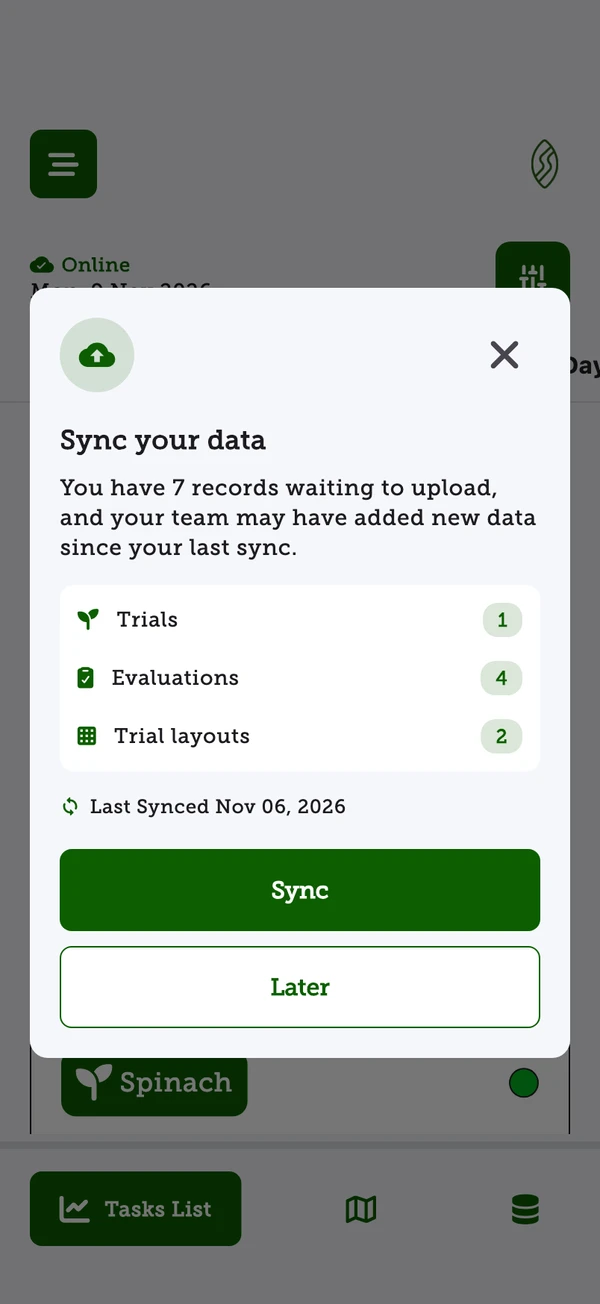
When the phone reconnects, a reminder lists what’s waiting to upload.
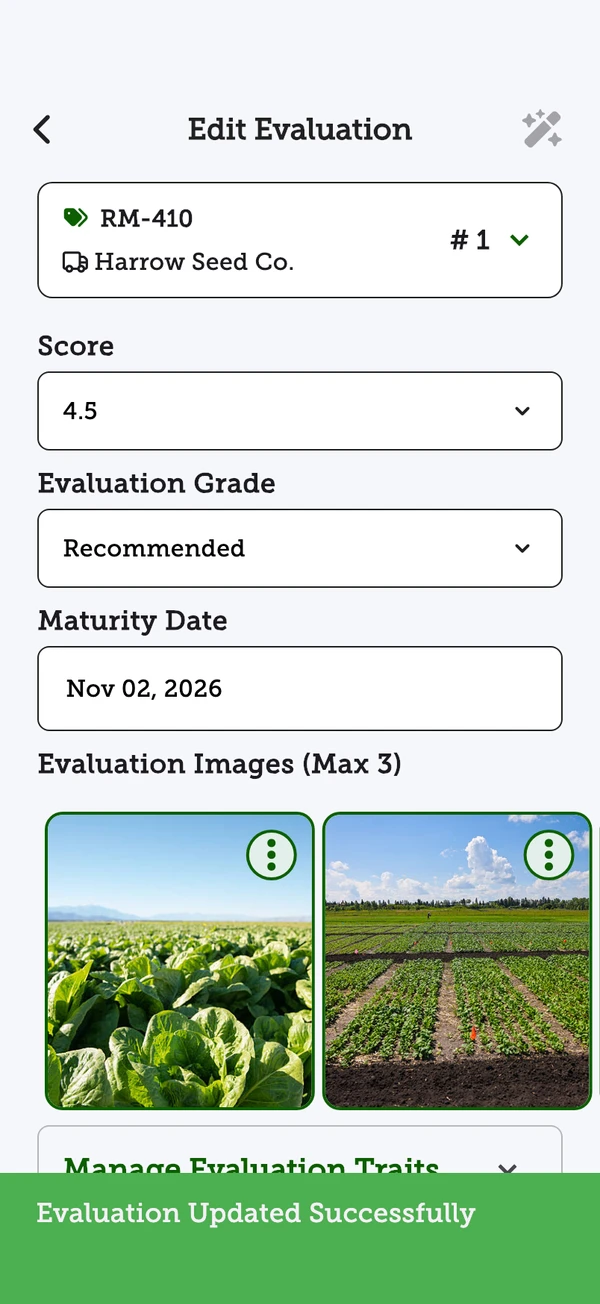
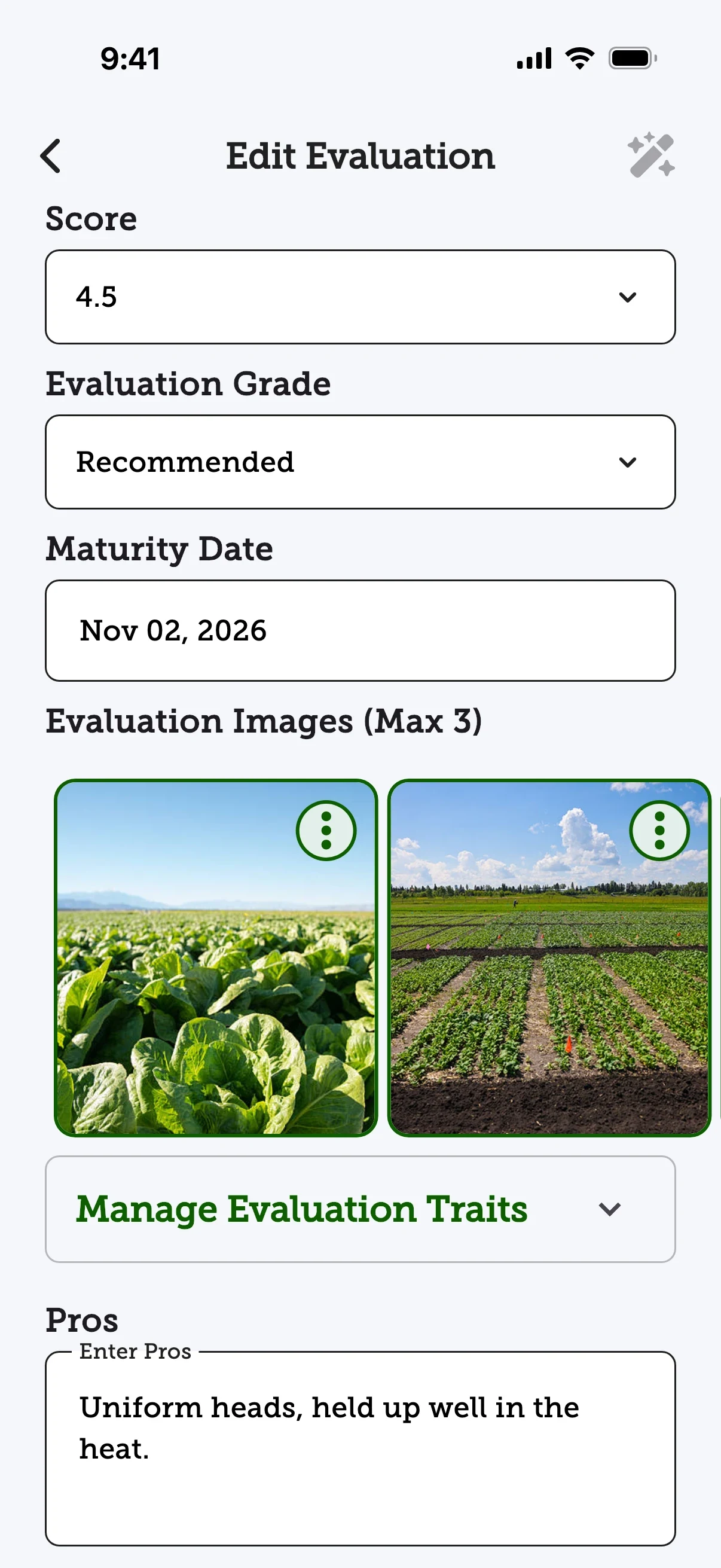
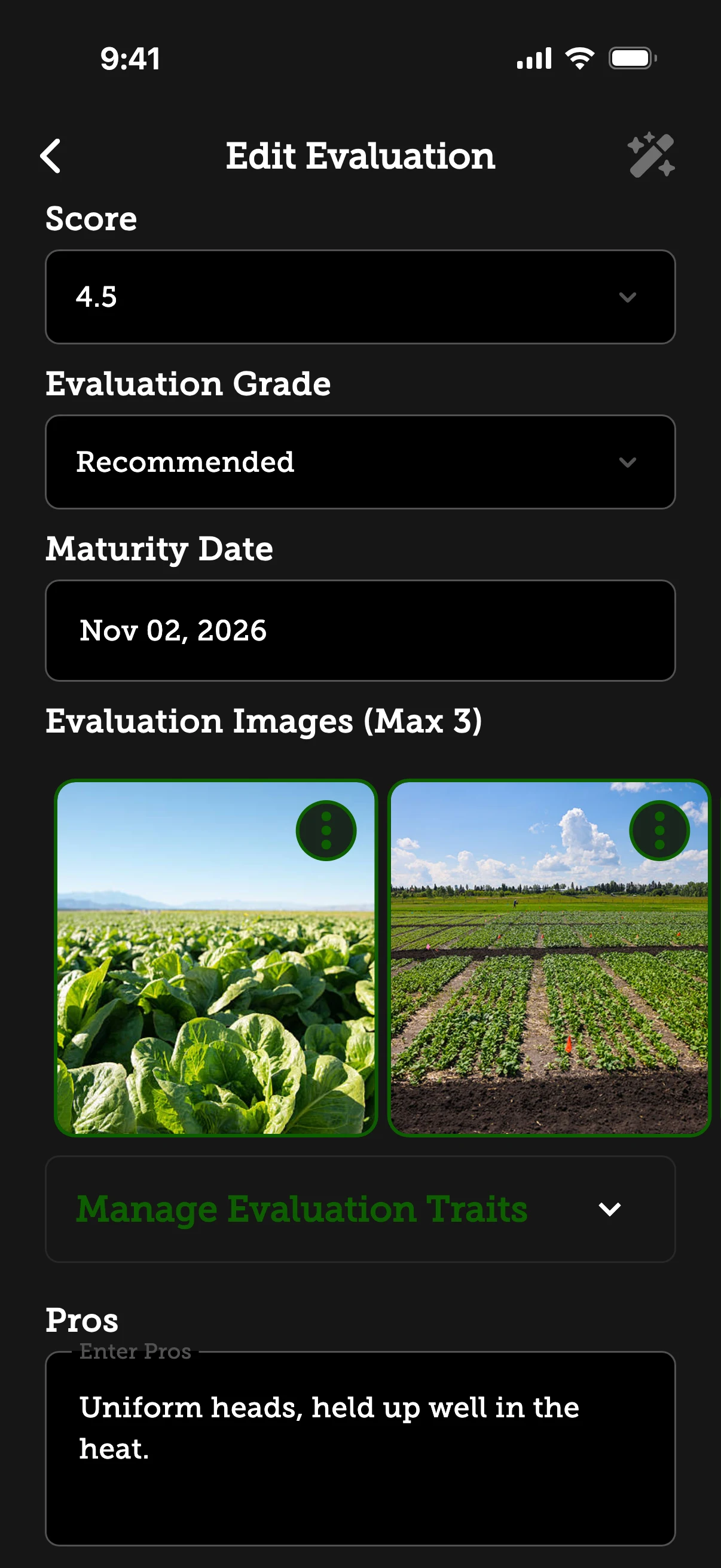
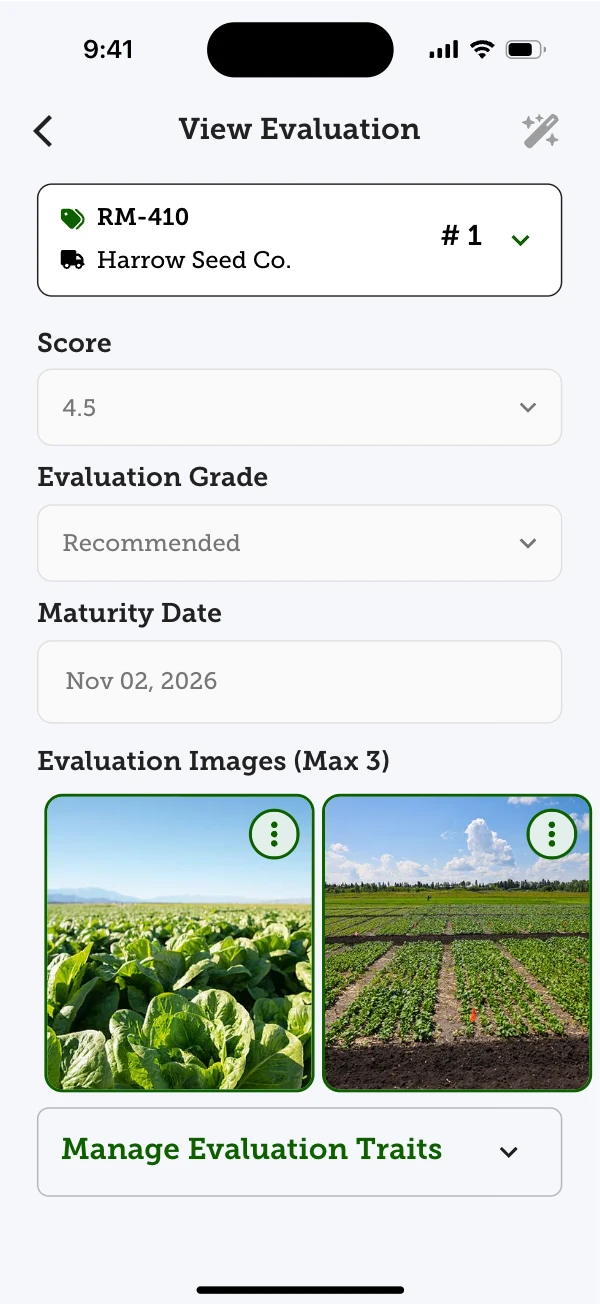
An evaluation is a score, a grade and a maturity date.
Up to three per evaluation, kept on the phone until they sync.

Badges are earned Area by Area, and the Performance filter says how.
Seed companies test new varieties in trial plots on growers’ farms. Evaluators walk the rows to score each variety, record when it matured and photograph it, usually far from a reliable signal. Back in the office, product and sales teams compare those results across locations and send trial maps and reports to growers and dealers.
So the field app has to keep working with no connection, and every record has to reach the office intact: even when two people edited the same trial, or someone forgot to sync for a day.
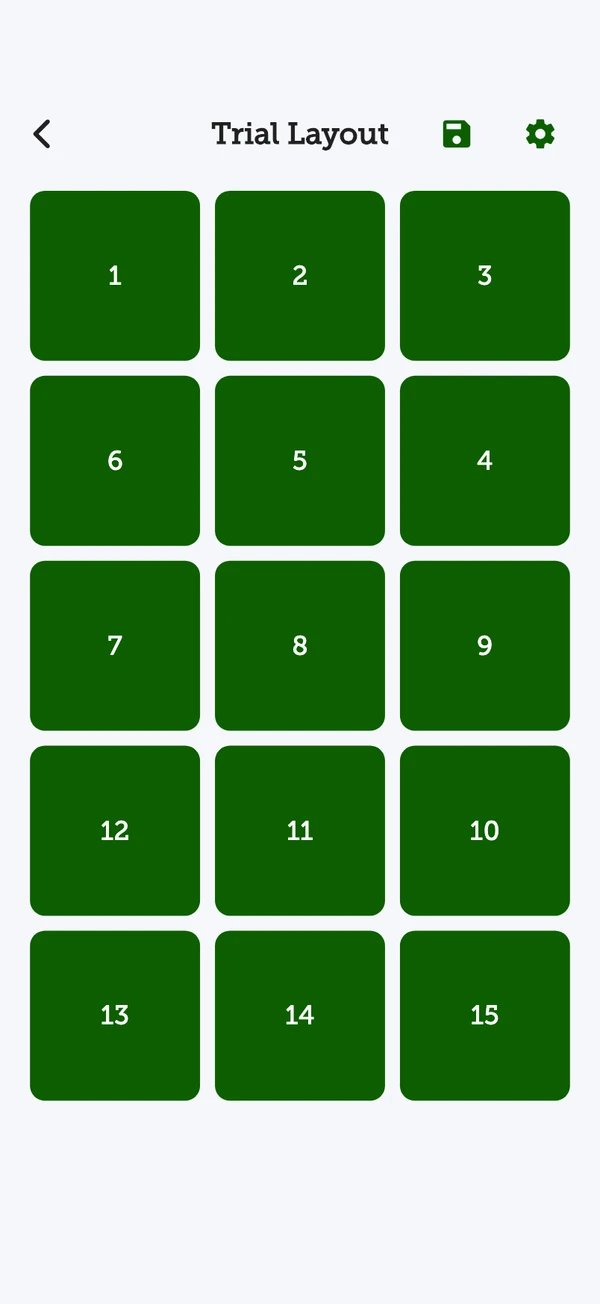
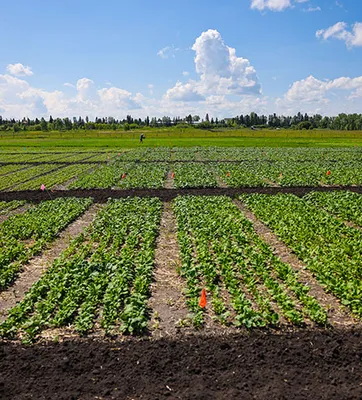
A trial starts on the phone. The evaluator maps the plot row by row and numbers where each variety is planted. Through the season they come back to score each one, grade it, note the day it matured and add up to three photos, with or without a signal.
A sync carries all of it to the office. There the web app sets each variety against the check planted in the same trial, and the variety catalog sums up how it has done across trials and Areas. The backend turns trials into PDF reports and emails trial maps to the grower and the supplier reps.
I’ve worked on SeedSense since its first commit in May 2024, alongside Joao Cavalcanti. I wrote 856 of the Flutter app’s 1,058 commits and 318 of the backend’s 544.
That covers the iOS and Android field app with its offline storage and sync, the Flutter web app the office uses and its October 2026 redesign, the Node API and its PDF reports, and moving the admin hub to Next.js.
Syncing is a deliberate tap. If an evaluator forgets, a day of scores sits on one phone and they miss everything their team uploaded. But a field connection drops and returns all day, so a prompt that fired on every reconnect would soon be ignored.
A reminder with a few rules. It asks when the phone comes back after at least two minutes offline, or when its data is a day old, but never within 15 minutes of a sync. Later quiets it for four hours, then it asks again until a sync completes. It asks even with nothing waiting, because a sync also pulls the team’s new data.
Syncing is still a tap, not automatic. The reminder makes that tap happen at the right moments, and every threshold is a judgement call, written down next to its reason.
“Connectivity flaps all day in the field — this is what keeps the prompt meaningful rather than noise.”
Comment in the sync reminder service
Two evaluators can change the same trial offline and sync hours apart. Without a rule, whichever phone synced last would quietly overwrite the other, including results that were already final.
The server keeps the most recent edit of each record. Once a trial or evaluation is completed, its key fields are locked: an evaluation’s score, grade, maturity date, notes and photos; a trial’s farmer, crop, dates and location. A late change to them is turned away as a conflict, while the rest of that sync still saves in one batch, and the phone keeps a log of anything it skipped. On the phone, a completed evaluation opens read-only.
Most-recent-wins is simple and predictable, but it can drop one of two edits made at the same time to a record that’s still open. Locking protects what matters most, the finished result; changing one means reopening it first.
“Persist all non-conflicting trials in a single round trip.”
Comment in the trial sync endpoint
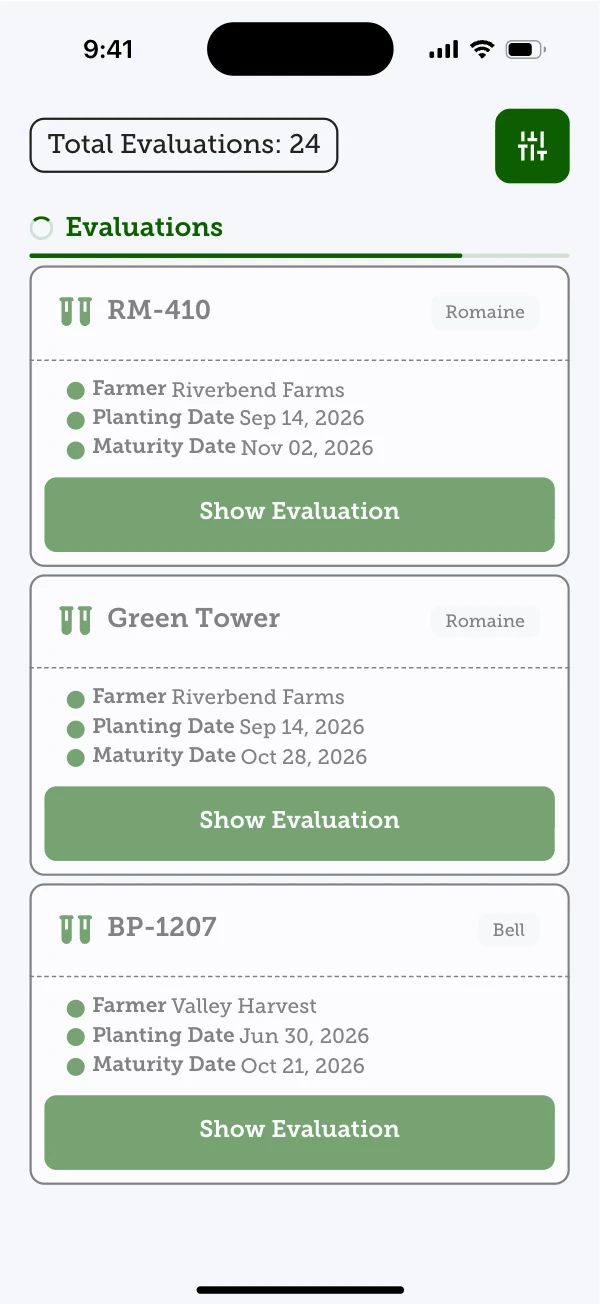
Going back to the evaluation catalog took about ten seconds on a phone. The app waited a fixed ten seconds in case a sync was running, and the server built each response through a six-level chain of lookups, one database round-trip per level.
The app now waits only when a sync is actually running or about to start, and reads its local records in batches. While one runs, the evaluations already on the phone stay in view, dimmed, under the step the sync is on. The server answers with one aggregation and two batched queries, and an opt-in filter, backed by a new index, returns only completed evaluations.
The wait logic is harder to follow than a timer, and the endpoint still returns the old response shape for app versions already in the field.
“Now we wait only when a sync is in flight, or when we know one is coming.”
Comment in the evaluation catalog’s loading logic
The same Flutter code runs the evaluator’s phone and the office’s browser. Putting the offline database and sync in the browser too would double the hardest part of the app for people who are almost always online.
Offline storage and sync live only in the mobile app: 27 local tables, 24 of them tracked for upload. The web app reads and writes straight to the API, and since October 2026 it has its own layout, with a side rail on wide screens.
Shared code has to check which platform it’s running on, and the web app needs a connection. For an office on stable internet, that was the trade worth making.
“Web repositories take the remote path unconditionally, so offline mode is mobile-only.”
Comment in the offline mode manager
SeedSense is on the App Store, Google Play and the web, where seed companies run trials from planting to report. The speed figures are before-and-after measurements on a development environment.
In review now: the variety catalog’s Performing and High performing badges, worked out by a nightly, rule-based job and already shown in the catalog at the top of this page.
What I’d take to the next product: design for the worst connection first. Most of this work never shows on screen. It’s deciding what happens when a phone has been offline for a day or two people edit the same trial, and making sure nothing is lost either way.