
Renew Reminder
Every renewal deserves a decision.
- Role
- Co-founder · product & engineering
- Team
- With Hunter Singh & Joao Cavalcanti
- Timeline
- 2025 – now
- Platforms
- Personal & Business · iOS · Android · Web app · Admin · Website
- Stack
- React Native · TypeScript · Next.js · Node · MongoDB
Renew Reminder warns you before a subscription, bill or contract renews. People use it for their own subscriptions and bills; companies use business workspaces to decide which vendor contracts to keep before the last day to cancel. I co-founded it and built most of it: the iOS and Android apps, the web app, the backend, the admin and the website.



Inside the product
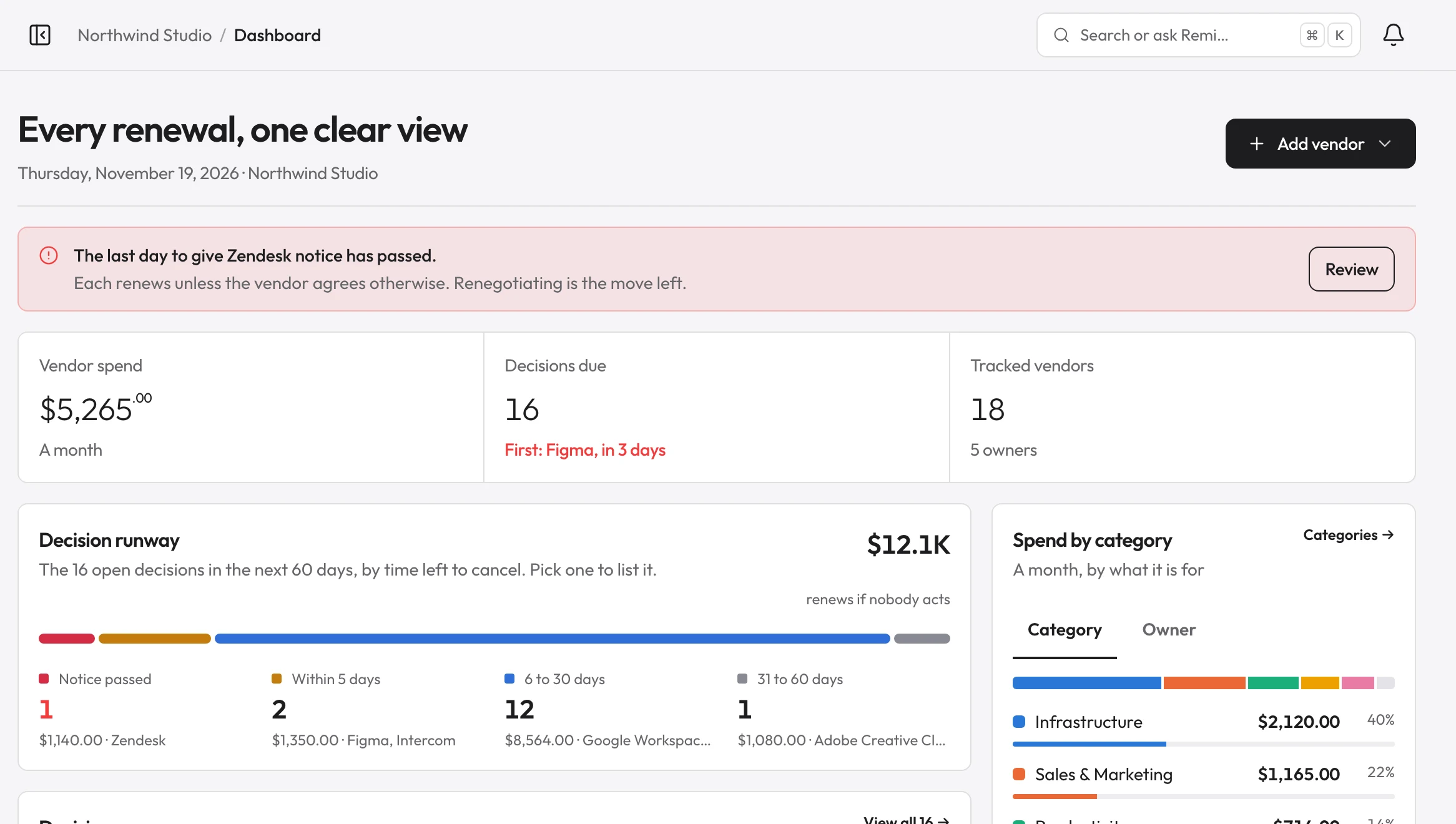
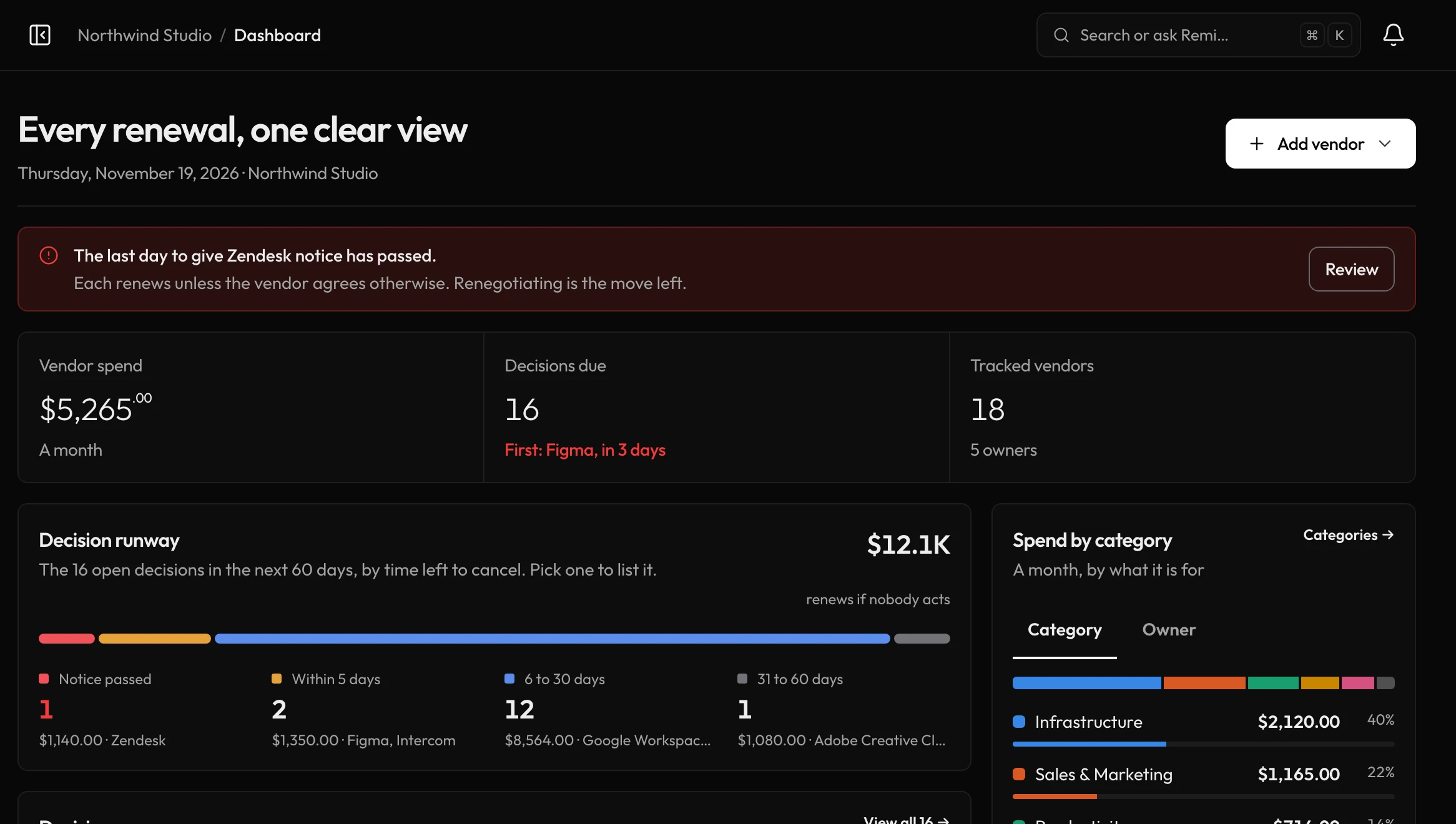
Every renewal, one clear view.
The web dashboard puts what’s due, what it costs, and what needs a decision on one screen.
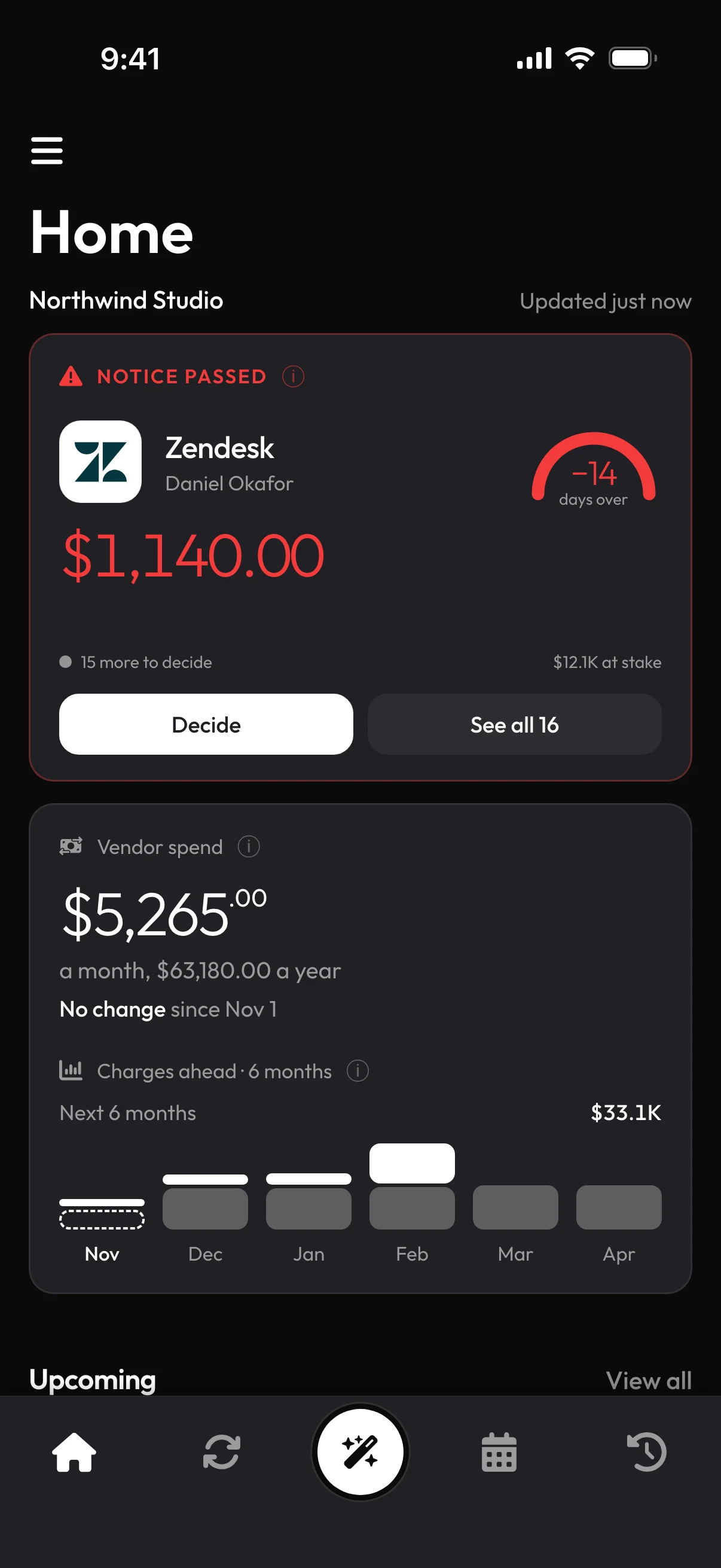
On iPhone and Android.
The same workspace in the app, with a reminder before every charge.
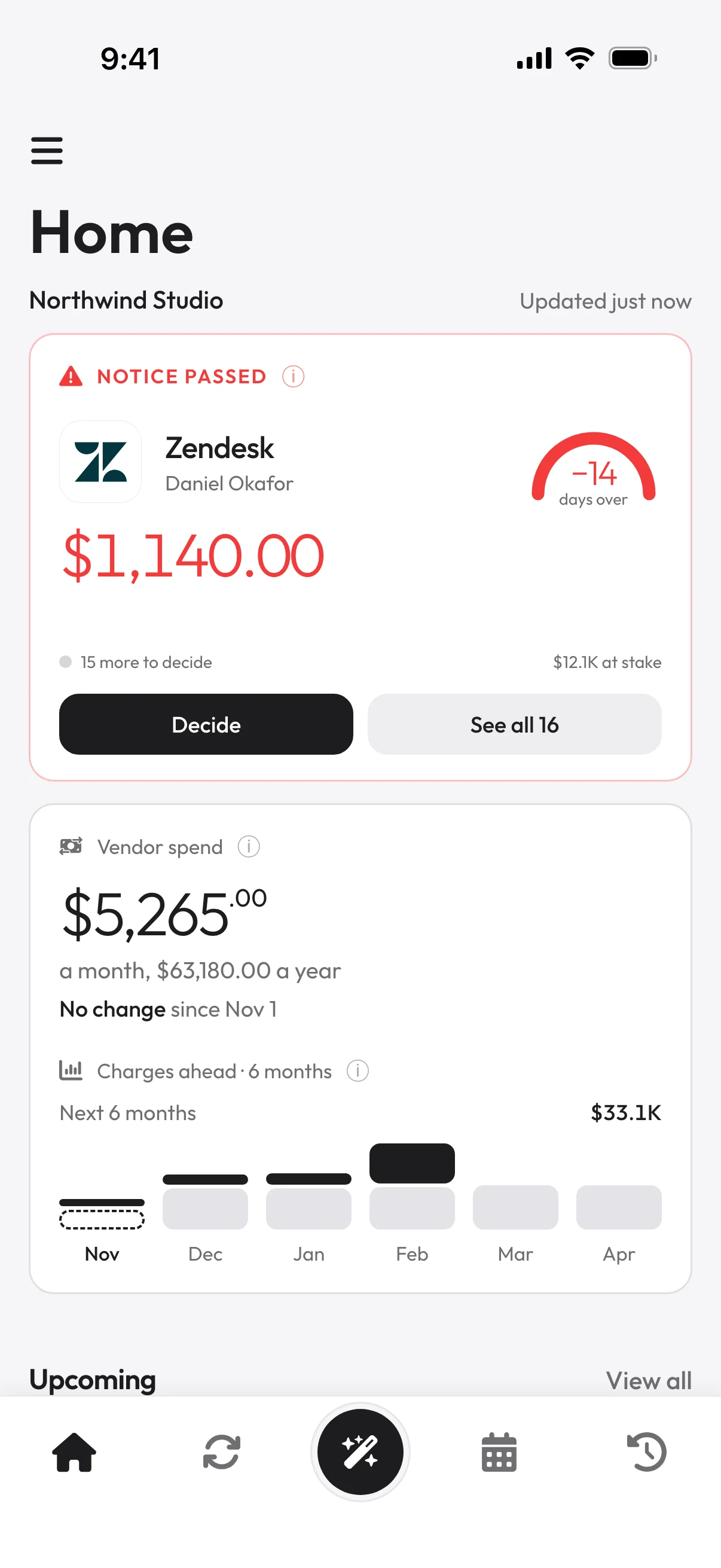
Decide before the notice date.
Each renewal shows its last day to cancel, so nothing renews by accident.
Six months of charges ahead.
Monthly and yearly charges, stacked month by month.
A runway for every decision.
Open renewals, sorted by the time left to cancel.
$12.1Krenews if nobody acts
- Notice passed1$1,140 · Zendesk
- Within 5 days2$1,350 · Figma, Intercom
- 6 to 30 days12$8,564
- 31 to 60 days1$1,080 · Adobe
Where the money goes.
Spend by category or by owner.
- Infrastructure$2,12040%
- Sales & Marketing$1,16522%
- Productivity$71414%
- Customer Support$54510%
Built with
- React Native
- TypeScript
- Next.js
- Node.js
- MongoDB
- Redis
- AWS S3
- Stripe
- RevenueCat
- Firebase
- Twilio
- Sentry
- PostHog
- AppsFlyer
- Codemagic
My role
I’m the product’s main engineer and wrote most of the code: more than 1,700 commits across the five codebases for the mobile app, web app, backend, admin and website. Personal and Business are one product in those codebases, not two.
On the personal side that covers the React Native app and its native iOS and Android widgets, the Next.js web app, the Node backend that sends push, email and SMS reminders, subscriptions through RevenueCat and Stripe, bank linking with Plaid, Remi the AI assistant, and the App Store and Google Play releases.
On the business side: workspaces with roles, owners and approvals, the renewal-decision workflow and its alert emails, the scoping that keeps each workspace’s data apart from Personal, usage-cost connections to AWS, Google Cloud and AI providers, Stripe billing for the Business plans, and Business mode in the phone app.
One app, two products
The problem
Inside a company, a renewal is a decision more than a payment. Many contracts renew on their own unless someone gives notice weeks before the renewal date, so by the time the invoice arrives the next term is already agreed. The person who knows whether a tool is still used is rarely the one who pays for it, and when whoever set it up leaves, nobody is watching it at all.
Business workspaces are built around that decision. Each vendor has a notice period, a last day to cancel and someone who answers for it; the admins and the vendor’s owner hear about it ahead of that day, and the renewal ends in a recorded decision. Alongside the contracts, a workspace connects to AWS, Google Cloud and AI providers to follow the costs that change every day, and each workspace has its own plan, billed through Stripe.
Count back from the last day to give notice
The problem
A reminder before the renewal date works for a streaming plan. For a company contract it arrives too late: if the contract needs 30 days’ notice, the next term is agreed a month before the invoice. And a notice period nobody has recorded is not the same as one that doesn’t exist.
What we chose
Every workspace vendor carries a notice period, and the date that matters is the last day to give notice: the renewal, or the end of a multi-year term, minus that period. Reminders count back from it, at 60, 30, 14 and 7 days by default, and the dashboard and the Action Center sort by it. A blank notice period is its own state, never a deadline and never “no notice needed”.
The trade-off
Every screen, email and calendar event handles three states instead of one date, and a team sees “Notice not set” on every vendor it hasn’t filled in. Putting the rule in one module also caught a real bug: storage accepted ten-year notice periods while the maths capped them at a year, so a two-year clause gave a last day a year late.
“Never a deadline, never “no notice needed”. The contract has to be checked.”
Comment in the notice-period module
HubSpot Sales Hub
Reminders go out 60, 30, 14, 7 days before the last day to give notice, Nov 14. The 30 days after it are the notice period, up to the renewal on Dec 14.
What a vendor shows, by notice period
- 30 days
- Last day to give notice: Nov 14
- 0 days
- No notice needed
- Blank
- Notice not set: check the contract
A Cancel is a plan until notice is logged
The problem
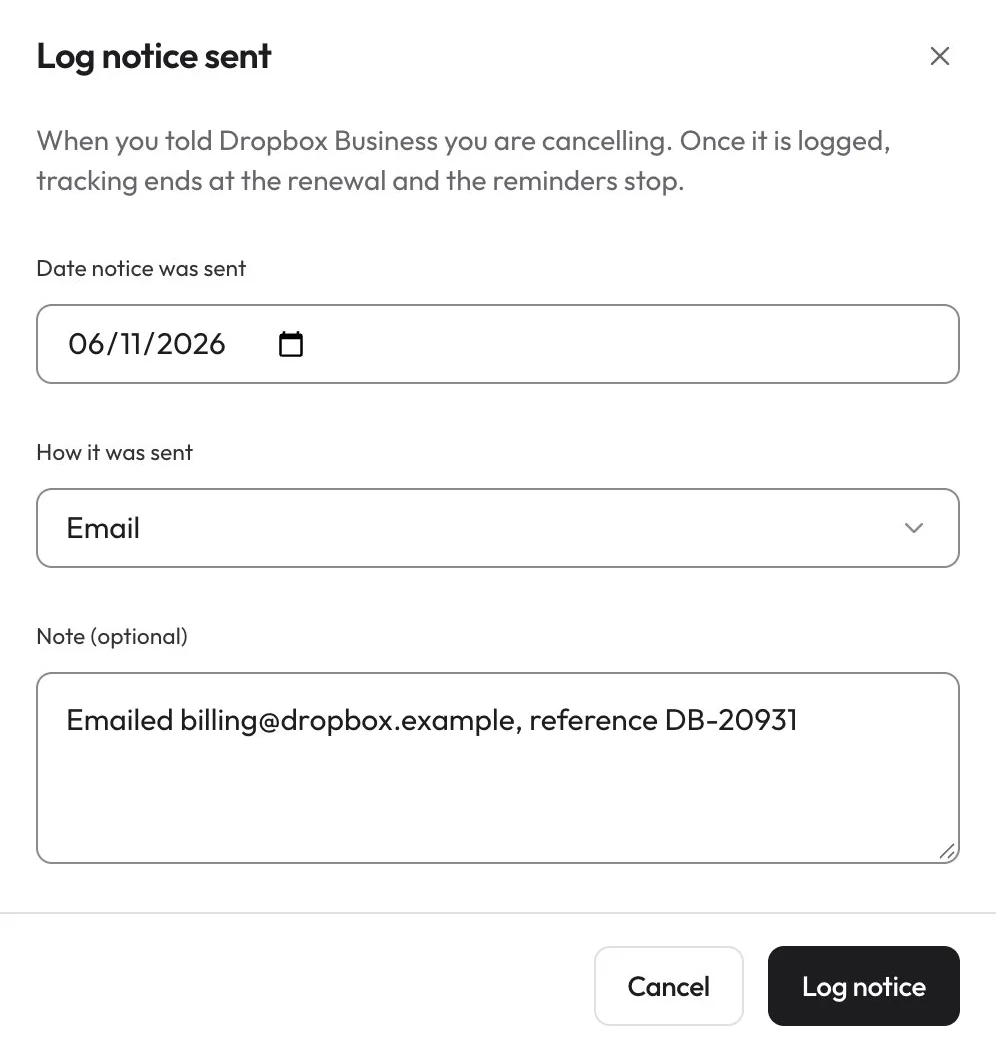
In a team, a reminder everyone can see is easy for everyone to leave to someone else. And pressing Cancel in a tracker cancels nothing: the vendor still has to be told, in time, by whoever manages the account.
What we chose
Each vendor can have an owner who is asked to decide; without one, an admin decides. Renew, Renegotiate and Cancel answer the renewal, while Request info and Defer keep it open, so the reminders carry on. A Cancel is recorded as a plan, and the vendor stays tracked and alerted until someone logs when and how notice went out. Admins can also require approval for members’ decisions, and nobody approves their own.
The trade-off
More states on every screen, from “Cancel planned, send notice” to “Approval pending”, and a tool the team has already decided to drop keeps sending reminders until someone does the paperwork.
“A cancel decision is an intent, not a cancellation.”
Comment in the renewal-decision module
Owners answer from the email
The problem
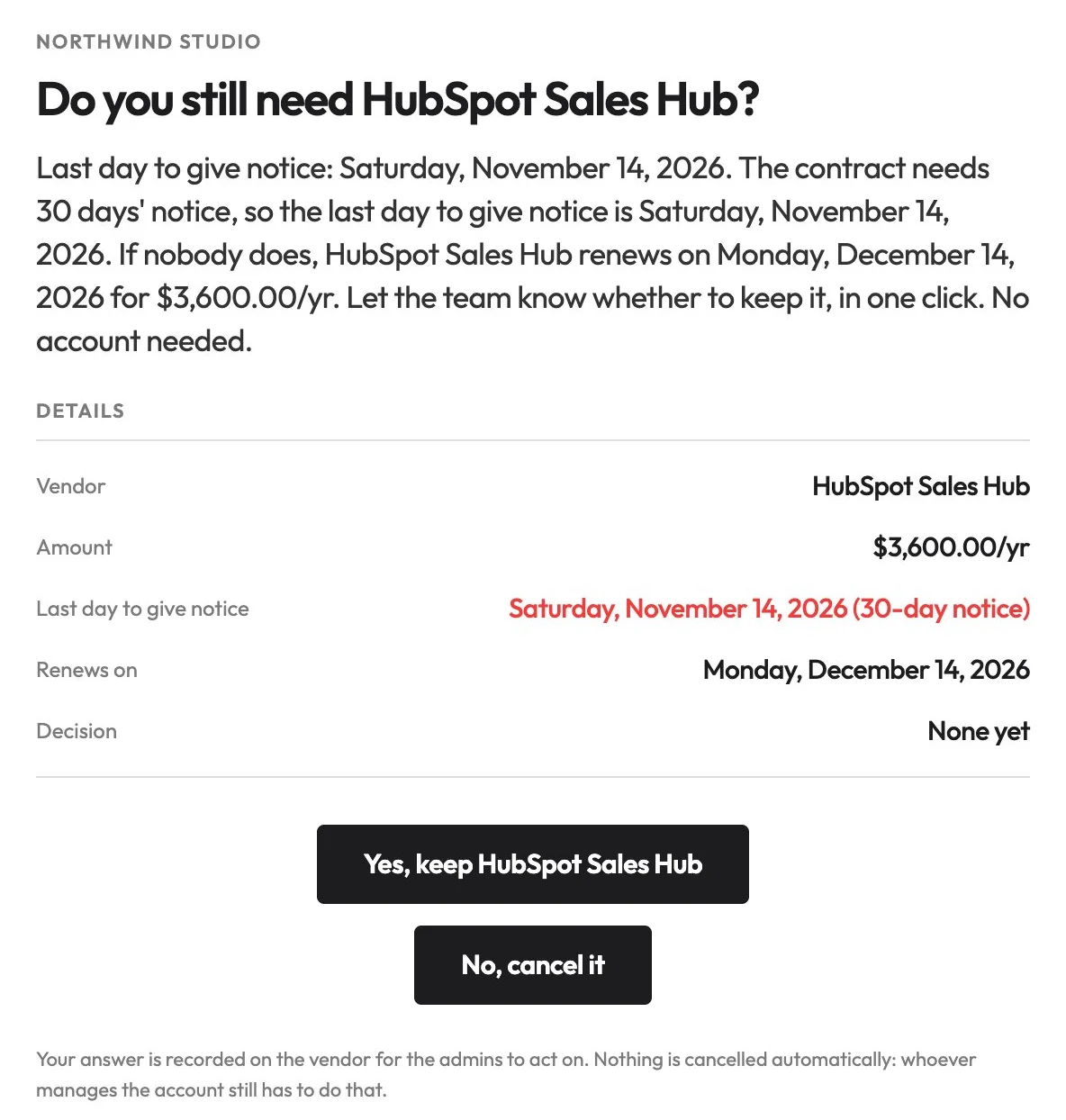
The person who knows whether a tool is still used often has no login: a contractor, or someone in another team. Asking them to sign up to answer one question means they won’t. But a link that changes data when it is opened isn’t safe either, because mail scanners open the links in an email before the reader does.
What we chose
An owner can be a name and an email address rather than an account. Their reminder asks whether they still need the tool, with Keep and Cancel buttons; each is a signed link that stops working 30 days after the renewal. Opening a link only shows a page with one button, and the answer is recorded when that button is pressed. The admins see who chose what, and an owner who unsubscribes is never written to again.
The trade-off
A public page where a signed token is the only authority, and one more click for every owner. In exchange, nobody needs an account to answer, and a link scanner can never cancel a tool.
“Mail scanners follow GET links, and a scanner must never cancel somebody’s tool or unsubscribe them.”
Comment in the workspace alerts controller
Every row belongs to one space
The problem
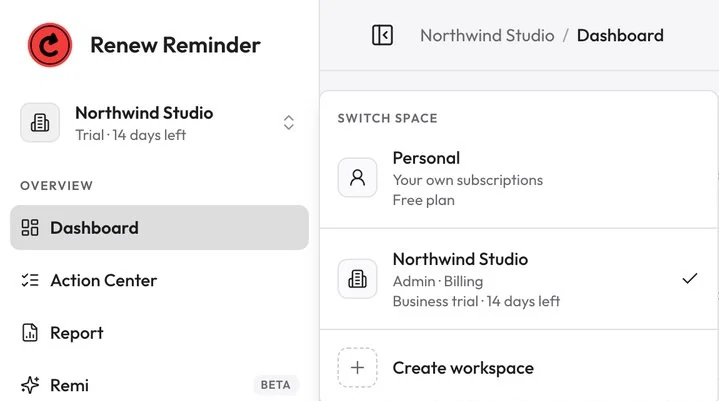
Workspaces were added to an app built for one person. A query written the natural way, by user ID, quietly read someone’s personal records together with those of every workspace they belonged to. An audit found that leak in Remi, the API keys, bank accounts and the data export, and no test had failed.
What we chose
Personal and each workspace are separate spaces, and every record belongs to exactly one. A request names its space, and naming none means Personal, so the phone app kept working unchanged. Every API route declares its space in one manifest that the backend and the web tests both read, a structural test fails on any query by user ID that names no space, and the web sends space requests through one wrapper.
The trade-off
Every new route needs a declaration, and every exception a written reason. Switching space reloads the page so no cached data can cross over, and nothing is shared between spaces, even where sharing would be convenient.
“A new route cannot ship without someone deciding which space it reads.”
Comment in the space middleware
Read the provider’s bill, never touch the account
The problem
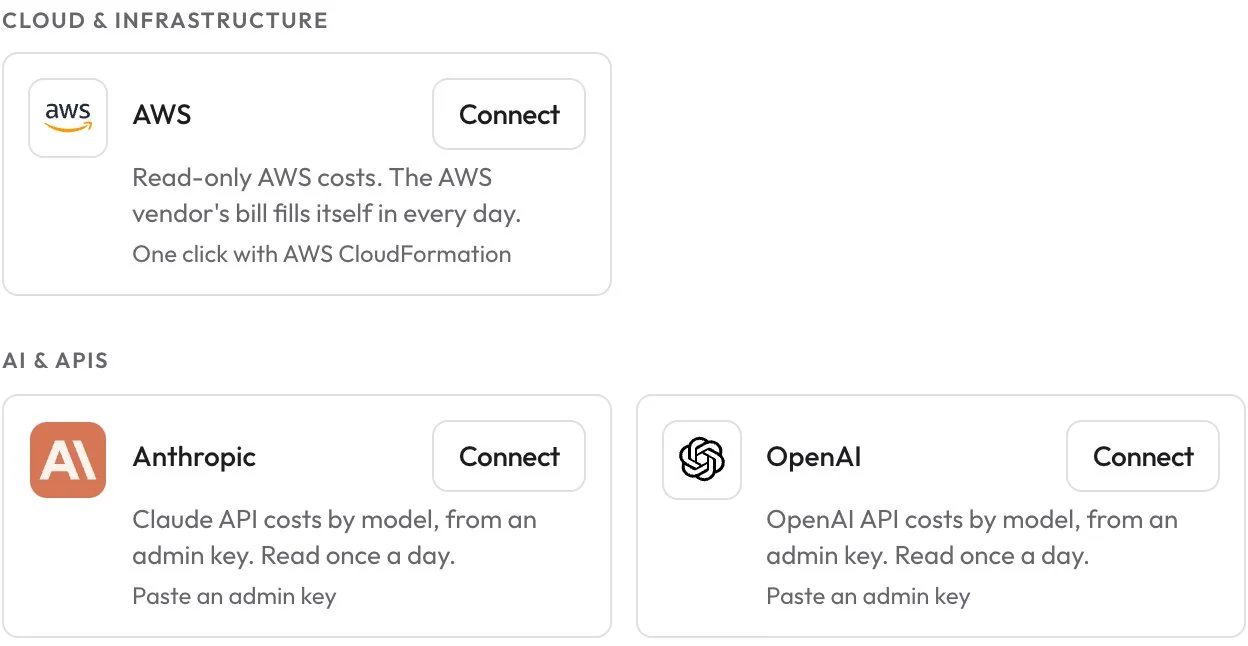
For a software company, the costs that grow fastest don’t renew on a date: cloud and AI bills move every day. Following them means connecting to a company’s AWS or AI accounts, and any figure shown beside them will be read as a promise.
What we chose
Each connection reads the provider’s own billing with the narrowest access it offers. On AWS that is a role with four read-only Cost Explorer permissions, trusted only with that connection’s external ID; OpenAI and Anthropic take an admin key, read once a day; Google Cloud is read from its billing export. Figures stay in the provider’s currency, labelled as its estimate, and AWS’s savings headline is its largest single idea, never a sum.
The trade-off
Fewer numbers than a cost tool could produce: no savings or forecasts of our own. And an adapter to build and maintain for each provider, from AWS and Google Cloud to OpenRouter, MongoDB Atlas and the tools billed by plan.
“A sum is a figure nobody can reach.”
Comment in the AWS cost insights, on overlapping savings ideas
Decide on the phone, set up on the web
The problem
Founders running a workspace wanted to check company spend and answer renewals in the app they already had. But that app was built for one person: its caches, its widget and its paywall all assumed Personal data. And a push notification says nothing about which version of the app will open it.
What we chose
The phone’s Business mode covers viewing and quick decisions: spend, renewals, usage costs, activity, and Renew, Renegotiate or Cancel. Setup, the team and billing open on the web. Business screens read live, name the workspace on every call and are never written to the phone’s storage or widget, and switching space remounts the app. The figures come from ports of the web’s selectors, checked against the web’s own test values, and workspace pushes go only to phones that say they can open them.
The trade-off
Two copies of the spend maths to keep in step, no offline Business data, and every admin task sends you to the web. The phone never sells a Business plan: a lapsed workspace just says to ask the admin who handles billing.
“An FCM token says nothing about the app version that holds it.”
Comment in the device-capabilities module
The problem
Recurring payments are easy to start and easy to lose track of. A free trial rolls into a paid plan, an annual renewal arrives unannounced, a bill moves its date. Most people find out after the money has gone.
Renew Reminder’s promise is to show every charge before it lands. Each record carries an amount, a cycle and a next date, and reminders go out by push, email or SMS on the schedule you choose. Bills, investments and subscriptions shared with other people sit in the same list.
Red only means urgent
The problem
A renewal app lives on one signal: something is about to charge you. If red also paints buttons, banners and brand moments, it means nothing by the time it matters.
What we chose
Red is reserved for things due within five days, overdue, or destructive. The action colour is ink. A lint rule in the web app blocks red fills, and emails use red only as text so it survives dark-mode inversion.
The trade-off
The brand colour almost never appears at full strength, so the product looks quieter than most finance apps. In exchange, a red date is impossible to miss.
“A red button here would spend the one urgency signal on a link.”
Comment in the email design tokens
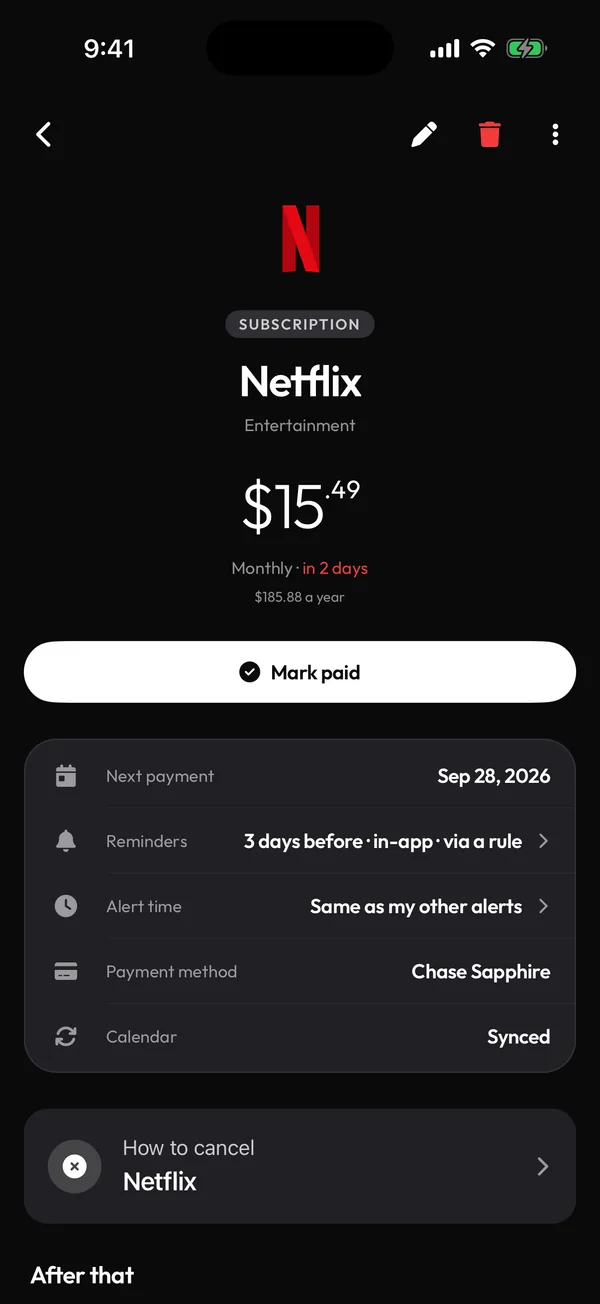
Never understate a charge
The problem
Reminders go wrong in quiet ways. A shared subscription can show only your share, so you plan for less than will actually leave your account. An electricity bill described as a “renewal” reads like a bug.
What we chose
Alerts state what will actually be taken from you, and the wording follows what the record is: subscriptions renew, bills are due, investments mature or need a contribution. You choose how far ahead, from one day to thirty, and at what time.
The trade-off
A one-line template became a set of rules that has to know who pays whom and what kind of record it is, and has to stay right for every record type.
“Understating a charge is the false all-clear a renewal app must never give.”
Comment in the alert service
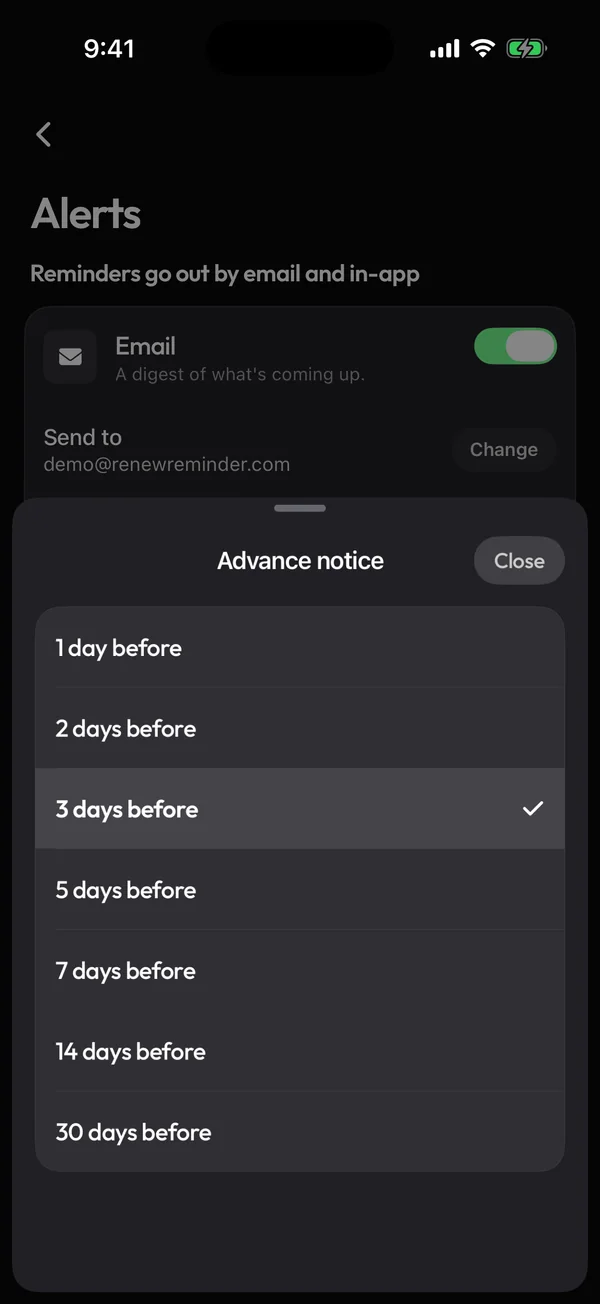
Store the full charge, divide on read
The problem
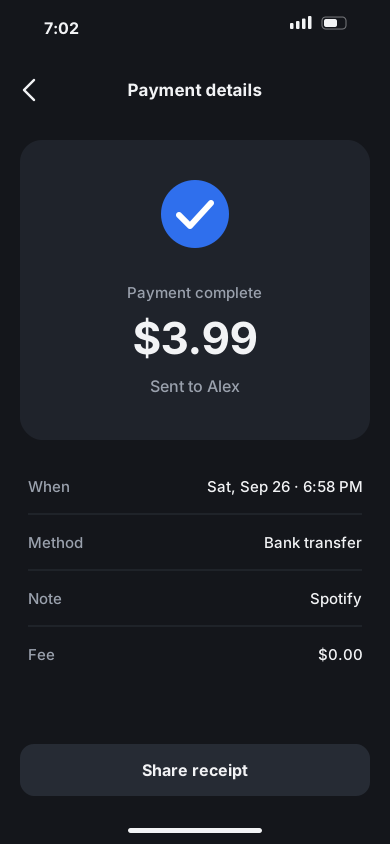
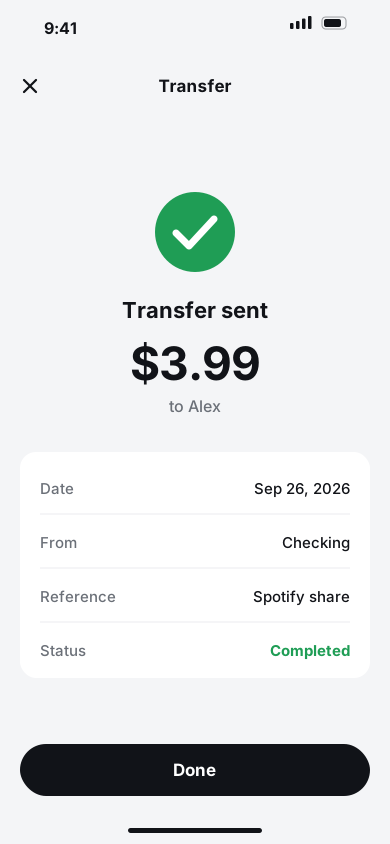
Splitting a subscription looks like a display detail. But bank matching corrects any stored amount that drifts more than 10% from the real charge, so a saved “your share” would be quietly overwritten on the next sync.
What we chose
Every record stores the full vendor charge. Shares are worked out when the record is read, from who is in the split and who pays the vendor.
The trade-off
Every screen, widget and alert has to apply the split itself, so the maths lives in one shared module instead of in each screen.
“The stored amount is always the full vendor charge.”
Header of the cost-split module


Remi drafts, you confirm
The problem
Typing in every subscription is where people give up on a tracker. An assistant can fill the form from a sentence or a receipt, but a model that guesses wrong, or follows instructions hidden in a pasted email, would write bad data into someone’s finances.
What we chose
Remi only ever prepares a card; nothing is saved until you tap Track it. Models are chosen by measurement: each candidate is tested on real tool calls, and text-only models are refused outright.
The trade-off
One extra tap for every record Remi creates, and a model shortlist that has to be measured again before any switch.
“A text-only model here is a silent outage, not an error.”
Comment in the model configuration

Open from the cache, not the network
The problem
The app waited on four network calls in a row before showing anything. One of them fetched a remote config whose values were identical to the defaults already built into the app.
What we chose
The config is now compiled into the app, and the first screen renders straight from the cached session.
The trade-off
There is no remote kill switch any more: an outage notice or a forced upgrade needs a store release. We took that over a gate that never fired.
“A gate that can never fire is worse than no gate.”
Engineering log, on removing remote config
Where it is now
- 1,700+
- commits of mine across the five codebases
- 15,600+
- automated tests across the backend, web app and mobile app
- 696
- API routes, each declaring which space it reads
- 11 → 0
- prompt-injection attempts Remi followed in its 90-case evaluation
Renew Reminder has been on the App Store and Google Play since summer 2026, alongside the web app. Business workspaces went live on the web in October 2026, with the Business Starter and Business plans billed through Stripe, and usage-cost connections followed in November.
What I’d take to the next product: write the rule down where the code lives. “Red means urgent”, “never understate a charge” and “every row belongs to one space” hold across five codebases because they sit in comments, a lint rule and tests, not in someone’s memory.